In Oracle Report you can not link query blocks on items when you see this No-Link Item:
Cannot implement column link for this detail SQL query. Converting to group link.

This means you can link block, but you can not link specific item as you would usually like to do.
It seems there’s somethin special in this query. When trying to link two items:
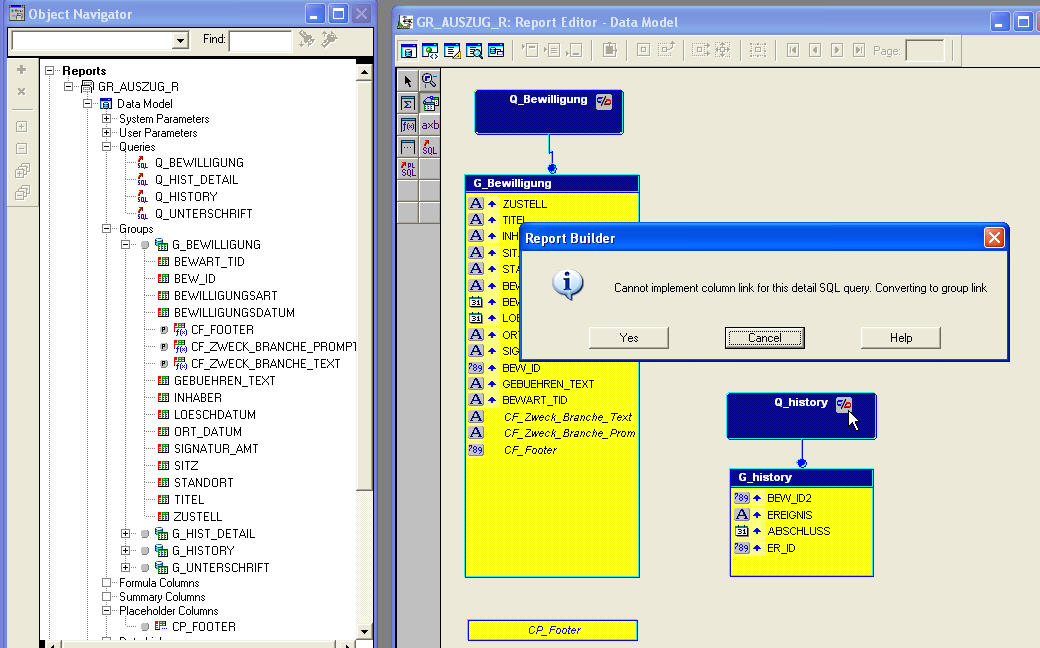
A Oracle REP-20147 error appears:
Cannot implement column link for this detail SQL query. Converting to group link.
Help Message:
REP-20147: Cannot implement column link for this detail SQL query. Converting to group link Cause: Reports can only insert column to column links into supported SQL. It defaults to a group to group link in this case. Action: Manually insert the required link clause into the detail SQL query.
The problem here is in the sql query!
ORDER BY something NULLS FIRST
Try removing the NULLS FIRST and the No-Link item disappears. Now you can link these two query on an item:
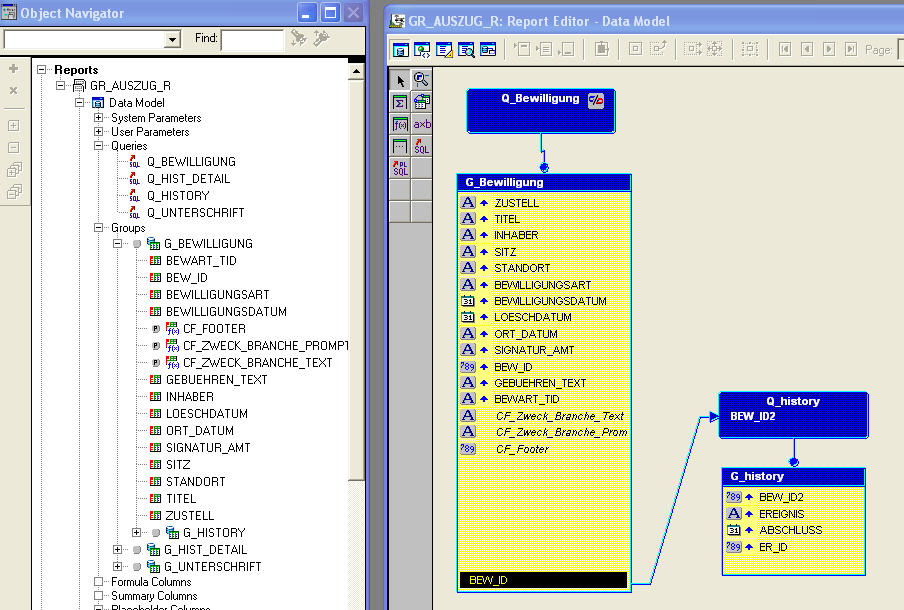
okay sou how to make them to link
because i don’t understand
and i hawe this problem
Hi Maria
Linking is easy. Just use the toolbox on the left side.
There you choose “link block” or something like this.
Klick on a column on block 1 then move cursor to block 2 and “drop” your mouse on the linking column on block 2.
good demo
Depending on the version of report builder used (for example, we are using Developer 10g with our Oracle EBS 12.2.10) ANSI joins could generate the same error, leaving you without additional pointers! Recently I had 24 hours fits because I used one child query that had ANSI joins instead of traditional, and was lucky enough to sort it out next day, merely by changing the query. Hope this helps